
A Powerful Platform
for Healthcare Research.
Build cohorts. Analyze outcomes. Generate real-world evidence.
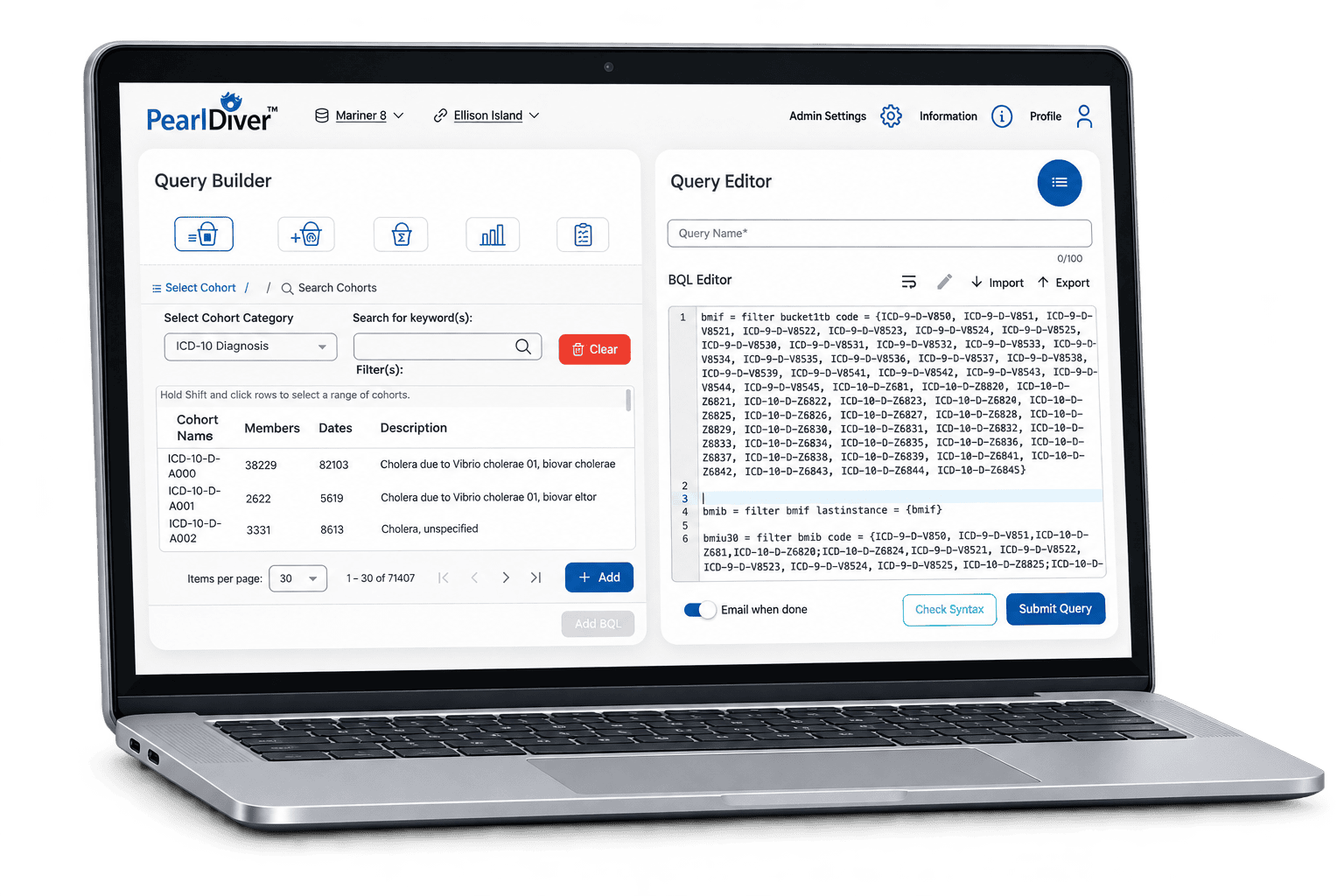
Platform Capabilities
Comprehensive tools to support the full research lifecycle.
-
Cohort Creation
Define and refine patient cohorts using flexible inclusion and exclusion criteria.
-
Outcomes Analysis
Evaluate clinical events, utilization, and cost-related outcomes in real-world data.
-
Advanced Analytics
Apply statistical methods appropriate to your study design and research question.
-
Results & Reporting
Summarize findings with tables, figures, and exportable results.
Research Capabilities
From Cohort Creation to Advanced Analysis.
The following are examples of PearlDiver’s research capabilities. Build study populations, explore healthcare utilization and costs, and apply analytical methods to address your research questions.
Build Cohorts
Define study populations using diagnoses, procedures, medications, and relationships between patient events.
Refine cohorts using available demographic fields such as age, gender, and geographic location.
Create matched comparison cohorts based on selected observed characteristics to support comparative research.
Analyze Outcomes
Identify inpatient admissions and examine hospitalization patterns, length of stay, and subsequent care.
Evaluate associations between selected patient characteristics, exposures, and study outcomes.
Examine time-to-event outcomes while accounting for follow-up and censoring, using event definitions supported by the dataset.
Explore Costs & Timing
Analyze recorded reimbursement amounts across care settings and defined study periods.
Measure time between defined events, such as diagnosis and treatment, or a procedure and a subsequent outcome.
Available fields, follow-up, and study design guide the appropriate analysis. Survival analysis can examine recorded clinical events; Mariner does not contain a comprehensive mortality field.
Inside the PearlDiver Platform
See Your Research Workflow in Action.
Explore the interface for finding cohorts, building queries, configuring reports, and creating custom analyses. Select a topic below.
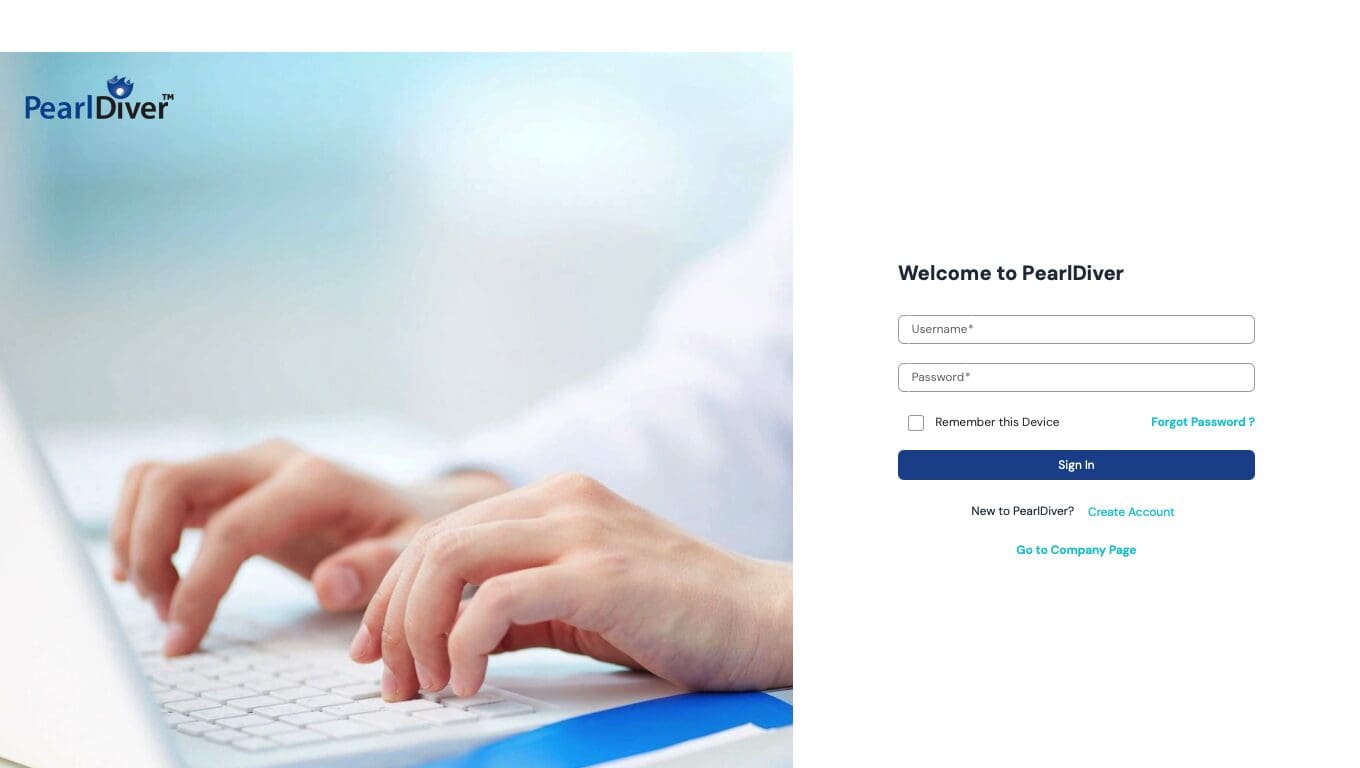
Platform Access
Your Research Starts Here.
Access the PearlDiver research platform through its dedicated sign-in screen.
Once signed in, use the platform’s research tools to develop cohorts, build queries, and explore your study questions.
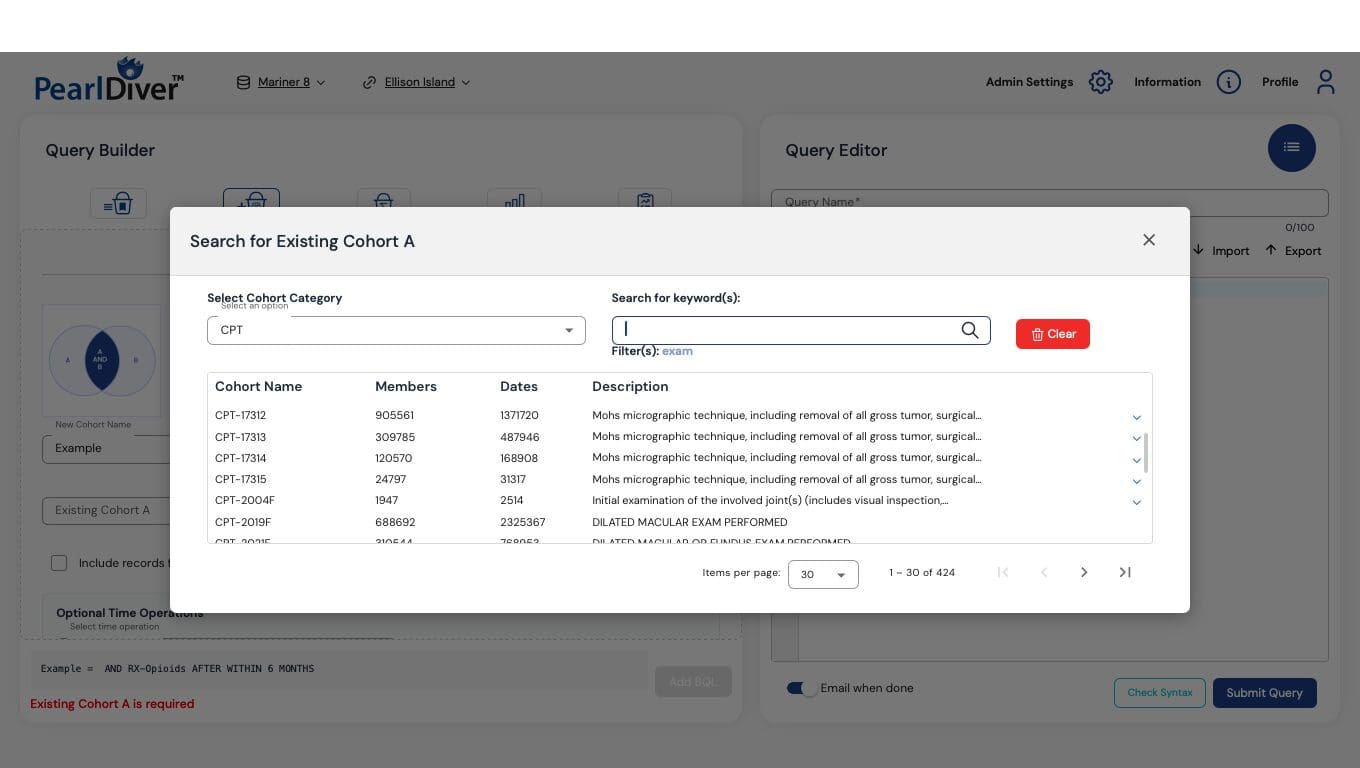
Cohort Discovery
Find Cohorts and Codes.
Search by cohort category and keyword to identify starting populations for your research.
- Select a cohort category.
- Search using relevant keywords.
- Review cohort names, member counts, dates, and descriptions.
Query Building
Build Cohort Relationships.
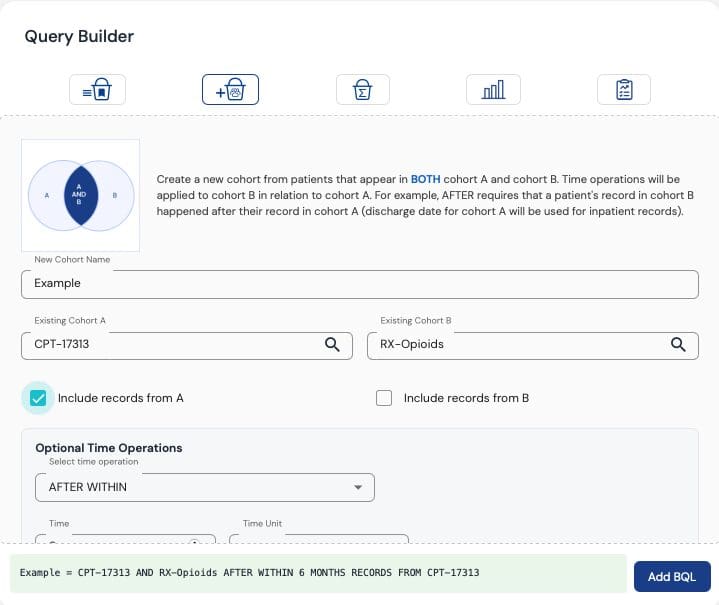
Combine existing cohorts and define how patient events relate to one another.
- Choose the cohorts to combine.
- Select which records to retain.
- Define time relationships between events.
Reporting
Configure Reports.
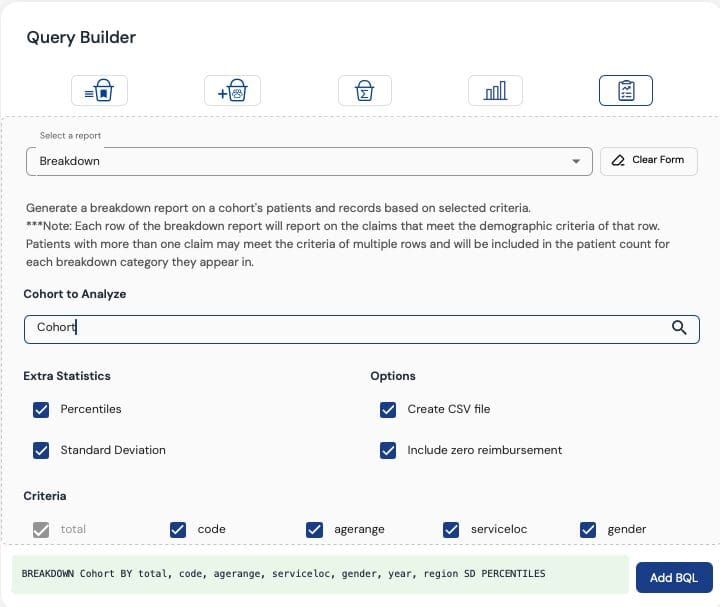
Select a cohort and reporting criteria to explore the characteristics of your study population.
- Choose the cohort to analyze.
- Select reporting criteria.
- Configure options such as percentiles and standard deviation.
- Create CSV output for further use.
Research Tools
Create Custom Analyses.
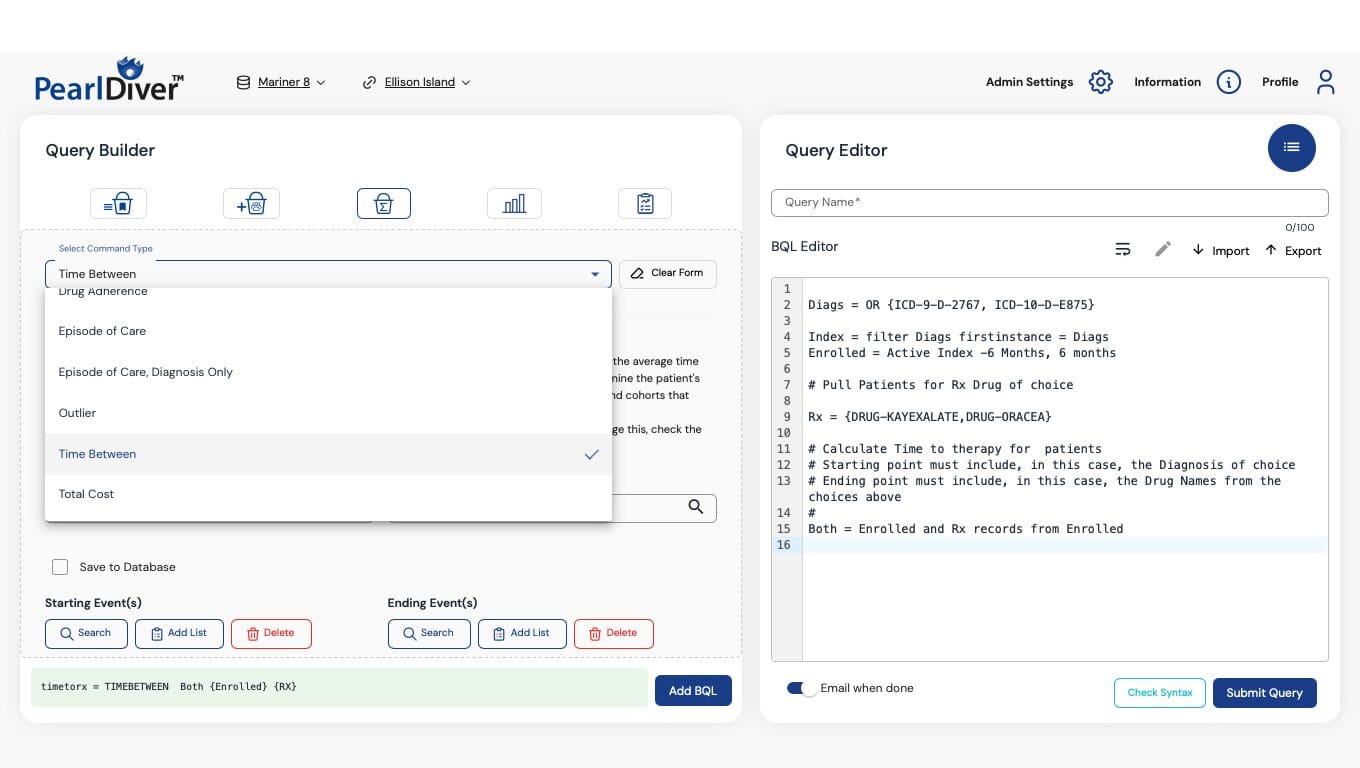
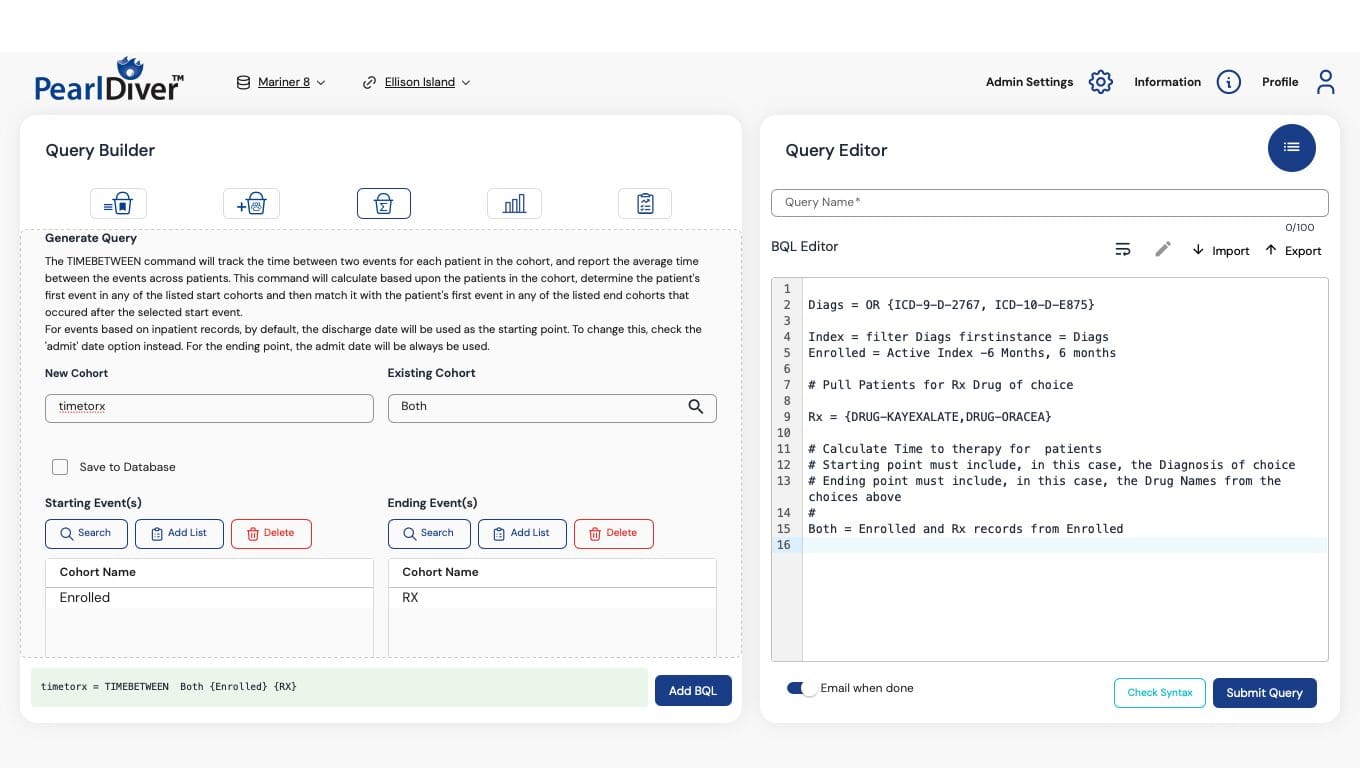
Explore research commands suited to your study question. Examples include drug adherence, episodes of care, outliers, time between events, and total cost.
Explore Time Between Events.
Choose starting and ending event cohorts to configure a Time Between query alongside the BQL editor.
See How PearlDiver Fits Your Research.
Discuss your study goals and explore the platform with our team.